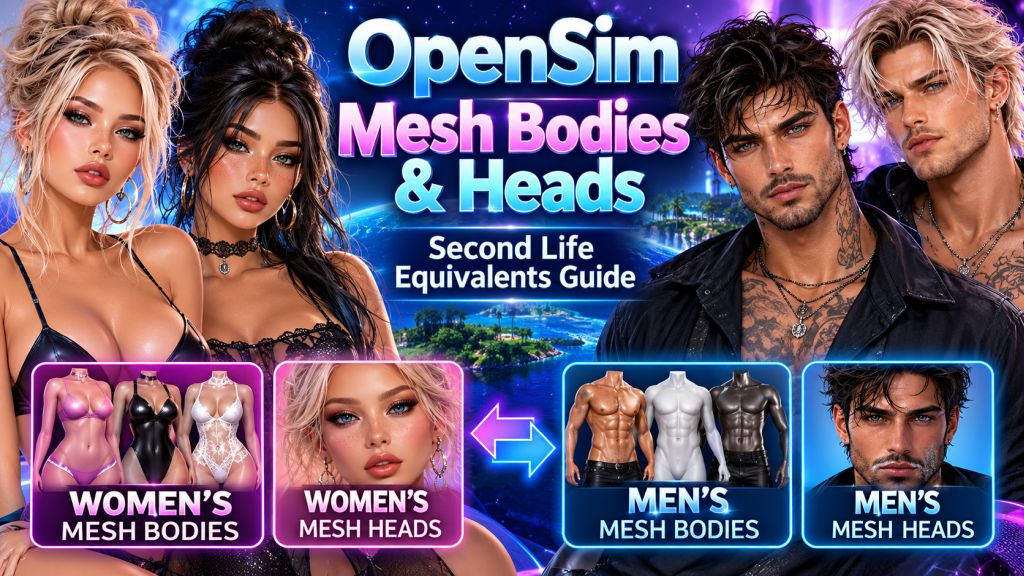
Mesh Body and Head Compatibility with Second Life
Creating an avatar in OpenSim can be much easier when you understand the different mesh bodies and heads available across virtual worlds. One of the challenges for newcomers is that products may appear under different names depending on the grid, shop or creator.
For example, a body or clothing item listed as Athena, Ares or Apollo may be associated with a familiar Second Life mesh body. Knowing these names can help you find suitable clothing, skins and accessories without spending hours trying incompatible products.
This guide brings together commonly encountered names for male and female mesh bodies and heads, along with their possible Second Life counterparts. It also explains a few important terms that affect how avatar components work together.
Please remember that OpenSim naming conventions are not standardised. Some names are informal community labels rather than official product names, so the comparisons below should be used as a starting point rather than a guarantee of compatibility.
Female Mesh Body Reference
There is a wide variety of female mesh bodies available to virtual-world residents. Different bodies have different proportions, rigging and support for clothing, making it important to identify the intended body before adding new outfits to your inventory.
The table below lists female body names you may encounter in OpenSim and the Second Life products or projects they may correspond to.
| OpenSim name | Second Life equivalent |
|---|---|
| Athena | Maitreya Lara |
| Simona | Maitreya Lara |
| Femme | Maitreya Lara |
| Eva | Maitreya Lara (some versions) |
| Xara | Maitreya LaraX |
| LaraX | Maitreya LaraX |
| Reborn | eBODY Reborn |
| Waifu | eBODY Reborn with Waifu add-on |
| Freya | Belleza Freya |
| Venus | Belleza Venus |
| Kupra | INITHIUM Kupra |
| Legacy Female | Legacy Female |
| Legacy Perky | Legacy Perky |
| BBHG | Slink Physique Hourglass |
| Ruth2 | OpenSim-native Ruth2 body |
Several names in this list are associated with well-known Second Life mesh body families. Maitreya Lara and LaraX, for example, are useful names to recognise when looking for female clothing. Other familiar products include eBODY Reborn, Belleza Freya, INITHIUM Kupra and Legacy Female.
Ruth2 is different because it is an OpenSim-oriented body project rather than a direct equivalent of a commercial Second Life body.
A clothing item that fits one body will not necessarily fit another. Even when two bodies look similar, their mesh shapes, rigging and supported sizes may differ. Always check the clothing description for the intended body and version.
Male Mesh Body Reference
Male avatars have their own range of mesh bodies, from athletic builds to more traditional proportions. As with female avatars, clothing is usually designed for particular bodies, so identifying the correct model is important when shopping.
Use this table as a quick reference when you encounter these names in OpenSim.
| OpenSim name | Second Life equivalent |
|---|---|
| Ares | Belleza Jake |
| Apollo | Signature Gianni |
| Adonis | Slink male body |
| Legacy Male | Legacy Male |
| Kario | INITHIUM Kario |
| Aesthetic | Niramyth Aesthetic |
| Altamura Male | Altamura male body |
Belleza Jake and Signature Gianni are two useful male body names to recognise. Legacy Male, INITHIUM Kario, Niramyth Aesthetic and Altamura are other names that may help when searching for compatible outfits and accessories.
Before installing clothing, check the product’s supported body list. Some garments are made for a specific body version, while others include several sizes. Alpha settings may also be required to hide parts of the body that show through the clothing.
Female Mesh Heads and Their Names
The mesh head has a major influence on an avatar’s appearance. It determines the underlying facial shape and can affect how skins, makeup, eyebrows and other facial details are displayed.
Unlike some body compatibility labels, head names do not follow one universal OpenSim naming convention. The following list covers recognised Second Life head brands and terms you may see when browsing virtual-world content.
| OpenSim name | Second Life equivalent |
|---|---|
| LeLutka | LeLutka Evo / EvoX heads |
| Catwa | Catwa heads, including HDPro |
| Genus | Genus Project |
| AK / Akeruka | Akeruka heads, including ADVX |
| GA.EG | GA.EG heads |
| LOGO | LOGO heads |
| Altamura | Altamura heads |
| EvoX | A skin UV mapping system, not a head brand |
| BOM | A system-layer texture method, not a head brand |
LeLutka, Catwa, Genus, Akeruka, GA.EG, LOGO and Altamura are established names associated with Second Life mesh heads. Individual models may have different features and compatibility requirements, so the brand name alone may not be enough to identify the exact product.
Two terms in the table deserve special attention.
EvoX is a facial UV mapping system used by compatible heads and skins. It is not a separate mesh head brand. The mapping determines how facial textures are applied to the head.
BOM, or Bakes on Mesh, allows supported mesh avatars to display compatible system-layer textures. These can include skins and makeup. BOM is a feature or method, not the name of a particular head.
Classic SLUV and EvoX use different texture mapping arrangements. If a skin or makeup product has been made for one system, it may not fit the other correctly unless the head supports the appropriate mapping.
Male Mesh Heads
Male mesh heads are available from a number of brands, some of which also produce female heads. When choosing a head, consider the facial style you want as well as the skins, hairbases and facial details available for that model.
Here is a quick comparison of the male head names included in this guide.
| OpenSim name | Second Life equivalent |
|---|---|
| LeLutka Stan | LeLutka Stan |
| Catwa | Catwa male heads |
| Akeruka / AK | Akeruka male heads |
| GA.EG | GA.EG male heads |
| LOGO | LOGO male heads |
| Altamura | Altamura male heads |
The exact model is important, particularly if you want to use a specific skin, facial hair, eyebrow style or hairbase. These products may be designed around a particular head’s UV mapping and shape.
Some heads are available as standalone products, while others are supplied as part of a complete avatar package. Check what is included before choosing a head or replacing your current avatar setup.
Understanding Avatar Compatibility
Knowing the names of popular bodies and heads is useful, but there are several other factors worth checking when setting up an avatar in OpenSim.
Clothing and body rigging
Mesh clothing is generally created for particular body types. A dress designed for one female body or trousers made for one male body may not fit another correctly. Look for supported body names in the product description, and check whether the outfit includes multiple sizes or alpha options.
Skins and facial textures
Skins are not universally interchangeable between mesh heads. The head’s UV mapping system determines how the skin texture is positioned across facial features. Make sure the skin is intended for your head model and its supported mapping system.
Bakes on Mesh support
BOM can make it easier to use compatible system-layer skins and makeup with mesh avatars. However, the head and body must support the necessary features, and the textures must be suitable for the relevant mapping.
Product versions
Creators sometimes release updated versions of bodies and heads. A product description may distinguish between older and newer models, and the compatibility of clothing or accessories can vary accordingly. Check the version rather than relying on the name alone.
Testing new items
If possible, test a new body, head or outfit in a suitable area before making extensive changes to your avatar. This gives you an opportunity to check the fit, skin appearance and HUD controls before committing to a new setup.
Are OpenSim and Second Life Names Always the Same?
No. Some products retain their familiar Second Life brand or model names, while other names may be shortened, adapted or used informally by individual OpenSim shops and communities.
The comparisons in this article are therefore a reference aid, not an official compatibility database. Names such as Athena, Ares, Apollo, Simona and Xara should be checked against the actual product listing wherever possible.
It is also important to distinguish compatibility from authorisation. A product name that resembles a Second Life brand does not prove that a particular copy is an authorised release. Always respect creators’ permissions and licensing terms when obtaining content for your grid.
Building a Better-Looking OpenSim Avatar
Choosing compatible mesh components can save time and help you achieve a more consistent avatar appearance. Once you know the body and head you are using, it becomes easier to search for suitable clothing, skins, makeup and accessories.
Keep these tables as a starting point when browsing OpenSim shops, but confirm the exact product and version before relying on a match. Because individual grids and creators may use different naming conventions, checking the product details remains the safest way to avoid compatibility problems.
If you come across another OpenSim body or head name and know which product it refers to, sharing that information can help make these reference lists more useful to the wider virtual-world community.


